16 December 2019

Perform Multi-Level Sorting in Excel

Perform Multi-Level Sorting

With Multi-Level Sorting, you can sort one column and then the second one is such a way that the first one is still sorted. the pic below might make it more clear:

Marks List before sort
After Sorting
How to :
1. Select the entire data set. 
2. Go to Data click on Soft and Filter then Sort as above pic
3. In the Sort dialogue box, select column sort by, Sort on and order values from drop down [for the subject column, i.e., the first level sorting ]
4. now click on the add level option at the top. This will add another sorting level 
5. Again select the sort criteria [for the marks column, i.e., the second level sorting]


11 August 2018

RedMI Keypad is not working [Solved]

My MI 3S Prime Keypad is not working.... i use alternatively Quick ball

Got to Settings / Additional Settings / Quick ball / Enable on Quick ball


Thank you
Suresh.G

7 June 2017

forgot the linux root user password how to change it

How to Change the Linux root user password

following the below steps:

1. reboot the system and press F8 or press space bar and  select rescue mode and press e
2.  come to last paragraph of linux16 and write rd.break console=tty1
3. ctrl+x
4. come in single user mode
5. mount -o, remount,rw /sysroot
6. chroot /sysroot
7. passwd root
applay the password

# touch /.autorelabel
#exit
#exit


Linux Kernel Updating

In Cent OS how to update Kernel

login with root user
download latest version of kernel and keep it in /opt directory

#uname -a
#cd /opt  (enter into /opt directory )
# rpm -ivh kernel*    --nodeps   (install / update kernel )

#reboot (after updating / installing reboot the system )
now check the kernel version

#uname -a

2 June 2017

How to Configure the HTTPS in Linux

#### HOW TO CONFIGURE HTTPS IN LINUX###########
first configure the http
step-1: To assign the Hostname
login the linux CentoOS with root user
#hostname (to Check the hostname)
#ifconfig (to Check the IP Address)
#vi /etc/hosts (to provide the ip & hostname)
like 172.35.32.230    www.myblog.com   www
:wq (save & quit)

#vi /etc/hostname   (to make permanent) 
www.myblog.com
:wq   (save & quit)

##### INSTALL THE PACKAGE#####

#yum install http*    mod_ssl*   -y


#rpm -qa http*    mod_ssl*   (to query )

##### CONFIGURE THE HTTP#####

#vim /etc/httpd/conf/httpd.conf

come to end of file and write below text

<VitrualHots *:80>
ServerAdmin    root@myblog.com
DocumentRoot    //var/www/html
DirectoryIndex    myblog.html
ServerName    www.myblog.com
</VirtualHost>

:wq  (save & quit)


#cd /var/www/html    (To enter the directory )
#vi  myblog.html    (to Create the html home page )

##### START THE HTTP SERVICE #####

#service httpd restart

#### OPEN THE BROWSER THROUGH THE TEMINAL######
#firefox http://www.myblog.com

########### TO CREATE THE CERTIFICATES & KEY ######
#cd /etc/pki/tls/certs   (to enter the dir)
#make myblog.crt    (to create the certificates )
#ls    (to check )

#mv myblog.key   /etc/pki/tls/private    (To move the key)

### TO CONFIGURE THE HTTPS#######

#vim /etc/httpd/conf.d/ssl.conf

go to line no. 100 replace localhost.crt myblog.crt
go to line no. 107 replace localhost.key myblog.key

come end of the file and add this parameter

ServerAdmin root@myblog.com
DocumentRoot    /var/www/html
DirectoryIndex   myblog.html
ServerName    www.myblog.com

:wq    (save & exti)

####### TO START THE SERVICE #########
#service httpd restart

##### TO OPEN THE BROWSER########

# firefox https:/www.myblog.com

######### TO REDIRECT HTTP TO HTTPS###########
#vim /etc/httpd/conf/httpd.conf

come end of file

above this </VirtualHost>
write this line
Redirect / https://www.myblog.com:443

:wq

#service httpd restart
##### OPEN THE BROWSER########
#firefox http://www.myblog.com
######## TO CHECK THE LOGFILE OF HTTP######
# tail /var/log/httpd/access_log

16 June 2016

Linux FAQ

1. What is Linux?
    Linux is an operating system based on UNIX and it was introduced by LINUS TORVALDS. it is based on the Linux Kernel and can run on different hardware platforms manufactured by Intel, MIPS, HP, IBM, SPARC and Motorola. Another popular element in Linux is its mascot, a penguin figure named Tux.

2. What is the difference between UNIX and LINUX?
    Unix originally began as a propriety operating system from Bell Laboratories, which later on spawned into different commercial versions. On the other hand Linux is free open source and intended as a no-propriety operating system for the masses.

3. What is BASH?
    BASH is short for Bourne Again Shell. it was written by Steve Bourne as a replacement to the original Bourne Shell (represented by /bin/sh). it combines all the features from the original version of Bourne Shell, plus additional functions to make it easier and more convenient to use.
It has since been adapted as the default shell for most systems running Linux.

4. What is Linux Kernel?
    Linux Kernel is a low-level systems software whose main role is to manage hardware resources for the user. It is also used to provide an interface for user-level interaction.

5. What is LILO?
    LILO is a boot loader for Linxu. It is used maily to load the Linux operating system int main memory so that it can begin its operations.

6. What is a swap space?
    A swap space is a certain amount of space used by Linux to temporarily hold some programs that are running concurrently. This happens when RAM does not have enough memory to hold all programs that are executing.

7. What is the advantage of open source?
    Open source allows your to distribute your software, including source codes freely to anyone who is interested. People would then be able to add features and even debug and correct errors that are in the source code. They can even make it run better, and then redistribute these enhanced source code freely again. This eventually benefits everyone in the community.

8. What are the basic components of Linux?
    Just like any other typical operating system, Linux has all of these components: Kernel, Shells and UGIs, system utilities, and application program. what makes Linux advantageous over other operating system is that every aspect comes with additional features and all codes for these are downloadable for free.

9. Does it help for a Linux system to have multiple desktop environments installed?
    In general, one desktop environment, like KDE or Gnome, is good enough to operate without issues. Its all a matter of preference for the user, although the system allows switching from one environment to another. Some programs will work on one environment and not work on the other, so it could also be considered a factor in selecting which environment to use.

10. What is the basic difference between BASH and DOS?
    The key differences between the BASH and DOS console lies in 3 areas:

  • BASH commands are case sensitive while DOS commands are not
  • BASH / character is a directory separator and \ acts as an escape character. under DOS / serves as a command argument delimiter and \ is the directory separator
  • DOS follows a convention in naming files, which is 8 character file name followed by a dot and 3 character for the extension. BASH follows no such convention.
11. What is the importance of the GNU project?
     This so-called free software movement allows several advantages, such as the freedom to run programs for any purpose and freedom to study and modify a program to your needs. it also allows you to redistribute copies of a software to other people, as well as freedom to improve software and have it released to the public.

12. Describe the root account.
     The root account is like a systems administrator account and allows you full control of the system. here you can create and maintain user accounts, assigning different permissions for each account. It is the default account every time you install Linux.

13. What is CLI?
     CLI is short for Command Line Interface. This interface allows user to type declarative commands to instruct the computer to perform operations. CLI offers an advantage in the there difficult to remember commands including attributes that come with it.

14. What is GUI? 
     GUI (Graphical User Interface) makes use of images and icons that users click and manipulate as a way of communicating with the computer. instead of having to remember and type commands, the use of graphical elements makes it easier to interact with the system, as well as adding more attraction through images icons and colors.


15. How do you open a command prompt when issuing a command?
   To open the default shell(which is where the command prompt can be found) press Ctrl+Alt+F1 This will provide a command line interface(CLI) from which you can run commands as needed. 


30 FAQ on Networking


1. What is a Link?
  A link refers to the connectivity between tow devices. It includes the type of cables and protocols used to order for one device to be able to communicate with the other.

2. What are the layers of the OSI reference model?
     There are 7 OSI layers:
    1. Physical Layer,
    2. Data Link Layer
    3. Network Layer
    4. Transport Layer
    5. Session Layer
    6. Presentation Layer
    7. Application Layer

3. What is backbone network?
    A backbone network is a centralized infrastructure that is designed to distribute different routes and data to various networks. It also handles management of bandwidth and various channels.

4. What is a LAN?
   LAN is short for Local Area Network. It refers to the connection between computer and other network devices that are located within a small physical location.

5. What is a node?


A node refers to a point or joint where a connection takes place. It can computer or device that is part of a network. Two or more nodes are needed in order to form a network connection.

6. What are routers?

   Routers can connect tow or more network segments. These are intelligent network devices that store information in its routing table such as paths, hopes and bottlenecks. With this info, they are able to determine the best path for data transfer. Routers operate at the OSI Network Layer.

7. What is point to point link?
  It refers to a direct connection between tow computers on a network. A pint to point connection does not need any other network devices other than connecting a cable to the NIC cards of both computers.

8. What is anonymous FTP?
   Anonymous FTP is a way of granting user access to files in public severs. Users that are allowed access to data in these servers do not need to identify themselves, but instead log in as an anonymous guest.

9. What is subnet mask?
  A subnet mask is combined with an IP address in order to identify two parts: the extended notwork address and the host address. Like an IP address, a subnet mask is made up of 32 bits.

10. What is the maximum length allowed for a UTP cable?
  A single segment of UTP cable has an allowable length of 90 to 100 meters. This limitation can be overcome by using repeaters and switches.

11. What is data encapsulation?
    Data encapsulation is the process of breaking down information into smaller manageable chunks before it is transmitted across the network. it is also in this process that the source and destination addresses are attached into the headers, along with parity checks.

12. Describe Network Topology
    Network Topology refers to the layout of a computer network. it shows how devices and cables are physical laid out, as well as how they connect to one and another.

13. Briefly describe NAT?
   NAT is Network Address Translation. This is a protocol that provides a way for multiple computers on a common network to share single connection to the internet.

14. What is VPN?
    VPN (Virtual Private Network) a technology that allows a secure tunnel to be created across a network such as the internet.
EX: VPNs allow your to establish a secure dial-up connection to a remote server

15. What is RIP?
   RIP means Routing Information Protocol is used by router to send data from one network to another. It efficiently manages routing data by broadcasting its routing table to all other routers within the network. it determines the network distance in units of hopes.

16. What is the job of ne Network layer under the OSI model?
    The network layer is responsible for data routing, packet switching and control of network congestion. Routers operate under this layer.

17. How does a network topology affect your decision in setting up a network?
    Network topology dictates what media you must use to interconnect devices. It also serves as basis on what materials, connector and terminations that is applicable for the setup.

18. What is NIC?
    NIC means Network Interface Card. This is a peripheral card that is attached to a PC in order to connect to a network. Every NIC has its own MAC address that identifies the PC on the network.

19. What are different ways of securing a computer network?
    there are several ways to securing a computer network. Install reliable and updated anti-virus program on all computers. Make sure firewalls are setup and configured properly. user authentication will also help a lot. All of these combined would make a highly secured network.

20. What is the importance of the OSI Physical Layer?
    Physical layer does the conversion from data bits to electrical signal, and vice versa. This is where network devices and cable types are considered and setup.

21. What is WAN?
   WAN(Wide Area Network) It is an interconnection of computers and devices that are geographically dispersed. it connects networks that are located in different regions and countries.

22. How Many layers are there under TCP/IT?
    Under the TCP/IP there are 4 layers
    1. Network layer
    2. Internet layer
    3. Transport layer
    4. Application layer.

23. What is a private IP Address?
    Private IP addresses are assigned for use on intranets. These addresses are used for internal networks and are not routable on external public networks. These ensures that no conflicts are presents among internal networks while at the same time the same range of private IP addresses are reusable for multiple intranets since they do not see each other.

24. What are proxy servers and how to protect computer networks?
   Proxy servers primarily prevent external users who identifying the IP addresses of an internal network. without knowledge of the correct IP address even the physical location of the network cannot be identified. Proxy servers can make a network virtually invisible to external users.

25. What is the function of the OSI session layer?
    This layer provides the protocols and means for tow devices on the network to communicate with each other by holding a session. This includes setting up the session, managing information exchange during the session and tear-down process upon termination of the session.

26. What is the importance of implementing a Fault Tolerance System? Are there limitations?
    A Fault tolerance system ensures continuous data availability. This is done by eliminating a single point of failure. However, this type of system would not be able to protect data in some cases, such as in accidental deletions.

27. What does 10Base-T mean?
    10 refers to the data transfer rate, in this case is 10Mbps. The word base refers to base band, as oppose to broad band. T means twisted pair, which is the cable used for that network.


28. What is NOS?
   NOS(Network Operating System) is specialized software whose main task is to provide network connectivity to a computer in order for it to be able to communicate with other computer and connected devices.

29. what is DoS?
    DoS (Denial-of-Service attack) is an attempt ot prevent users form being able to access the internet or any other network services. such attacks may come in different forms and are done by a group of perpetrators. one common method of doing this is to overload the system server so it cannot anymore process legitimate traffic and will be forced to reset.

30. what is OSI and what role does it play in computer networks?
    OSI(Open Systems Interconnect) serves as a reference model for data communication. it is made up of 7 layers, with each layer defining a particular aspect on how network devices connect and communicate with one another. one layer may deal with the physical media used, while another layer dictates how data is actually transmitted across the network.


9 October 2015

How to Lock Keyboard

I loose some useful data from my computer due to my kid was playing with keyboard unexpectedly my data was deleted. at that time i search on google i found one third party software i.e. Keyboard locker, its very helpful to me and using also very easy.

1. Download the software through the below link.
copy the blow link and past in you browser(url location)

http://www.howtogeek.com/howto/11570/disable-the-keyboard-with-a-keyboard-shortcut-in-windows/ 

find Download Keyboard Locker from the link, its download one zip file 

2. extract that file and double click on keyboardlocker.exe 
3. then go to your notification area its showing one keyboard icon just keep your mouse cursor point its showing Press Ctrl+Alt+L to lock your computer


4. you just hold Ctrl+Alt and press L key, your keyboard is locked
5. For Unlock, you just type "unlock" then your keyboard is unlocked

8 October 2015

[Solved] How to get rid on mdi064.dll Windows startup error message?

Every morning I just start up my Computer just to see a popup/mlware (mdi064.dll) i try to clean up but this is not clean. the error is


Solution for above Problem:
1. Go to run command and type msconfig press enter


2. Go to Startup tab as below showing

3. Then find the  tsiVideo as below showing


4. Uncheck tsiVideo and Apply / OK
5. It is asking restart once restart your computer now you did't get error.

Thanks for visit my blog.


7 August 2015

28 April 2015

How to save continuous pinging in Notepad file with time stamp[Solved]

How to save the ping in notepad file
Open command prompt and copy and past the below command(change your ip instead of goolge.com)
ping google.com >> d:\Test.txt -t

How to save ping status with time stamp
Open Windows PowerShell command and copy and past below command
ping -t google.com|Foreach{"{0} - {1}" -f (Get-Date), $_} > D:\test.txt

check in your d drive Test file

20 April 2015

How to Install Windows 7 step by step

Insert DVD/CD in your DVD/CD Drive, restart your system press F2 Continuously
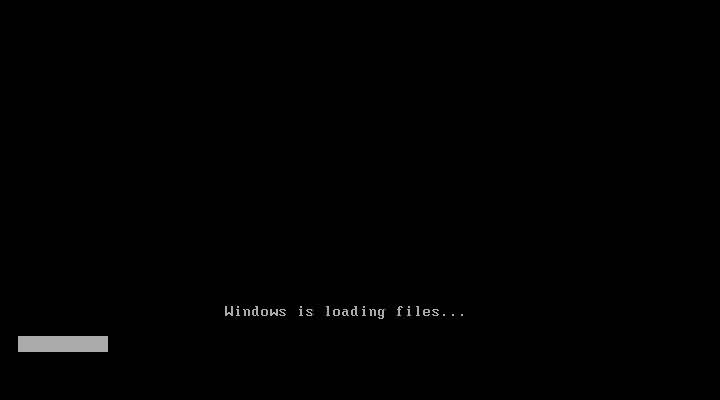
there will come up one option to boot through CD/DVD select that option or press any key to boot from CD/DVD windows start loading its files

Select language for your windows, select English and click next, also there will be a install now button click on install now proceed to next step.


here license agreement, check on "I Accept" then click next. there will be an option to install window. "UPGRADE" and CUSTOM. at present we are installing a clean version so click on CUSTOM


here we are going to do partitioning of your HDD(Hard Disk). Be careful this is most important part of the Installation. in this you will allocate spaces to your drive. if you want to create a new partition(drive) simply click on a drive then click NEW and provide drive space, it will create

Create the partitions as you like (as below example)

after creating partition (Drives) click Next

Now your windows will start installing its files


when your files are installed your system will be rebooted and see below screen. simply provide the Details Name and Password and proceed to NEXT. 


Then Enter your Product Key click Next

windows 7 installation completed your desktop shown as below 


13 April 2015

Tips for Windows Admin

1. How to  enable the local administrator account on Windows 7?

Run below command from an administrative command prompt

C:\Windows\system32>net user administrator * /active:yes


  It will prompt you to set a password Enter your password


2. Hold Windows key and press down arrow
Ans: Minimize the current window.

3. Hold Windows key and press Up arrow
Ans: Maximize the current window.

4. Hold windows key and press+(Plus)
Ans:  Zoom Out cursor position

5. Hold windows key and press -(Minus)
Ans: Zoom In Cursor position


12 April 2015

RHEL 6 Installation step by step


  • Enter into BIOS setting and make CD/DVD Drive as first boot device
  • Make sure that VT (Virtual Technology) is enabled for RHEL6-64 bit systems
  • Insert the RHEL 6 CD/DVD into CD/DVD drive and boot the system
  • If booted from CD/DVD Rom the following screen will be displayed


  • Move the cursor to Install or upgrade an existing system and press Enter


  • To test the media select OK, to skip the testing move cursor to Skip and press enter


  • Click on Next button to move forward


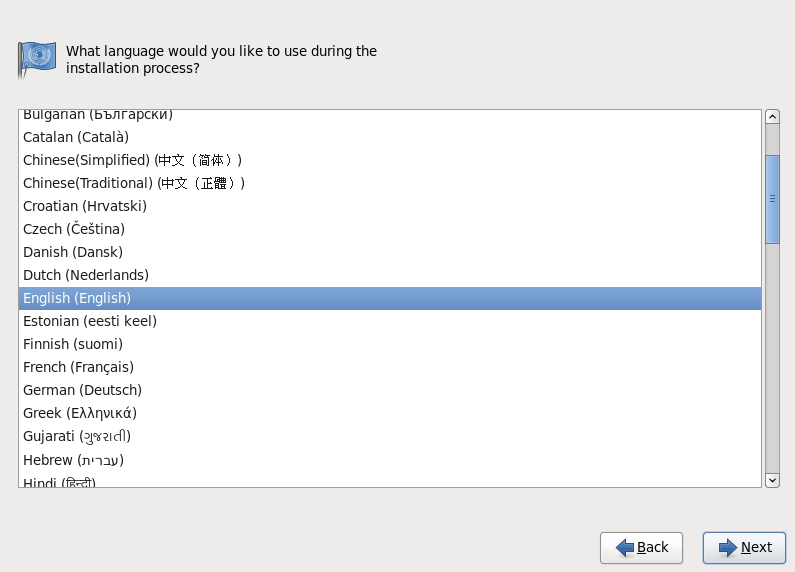
  • Select your desired language, usually English. Click Next to continue


  • Select the keyboard type as required usually U.S English, click Next to continue
  • Select the type of storage for the Computer. Click Next to continue


  • Assign a hostname to the system, if wish to give ip address click on Configure Network, else Click Next to continue


  • Select the nearest city in your Time Zone and Click on Next to continue

  • Assign some password for root, then click on Next to continue


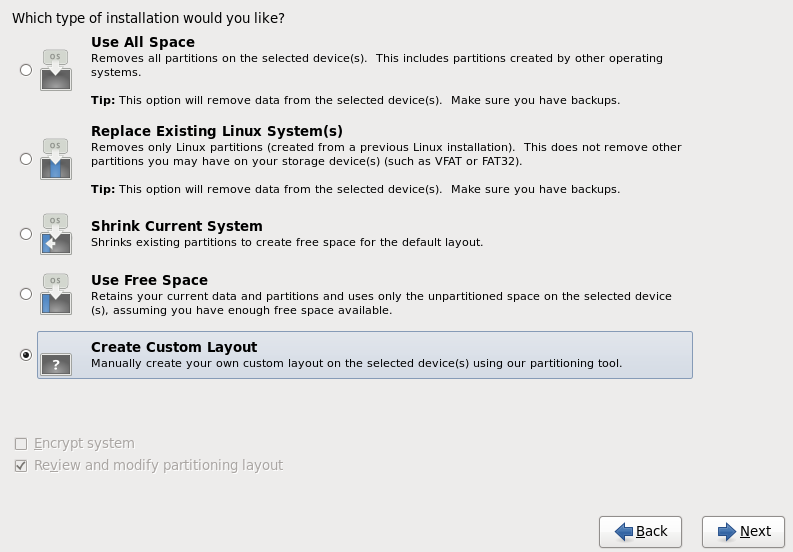
  • Select the type of partitioning you want, to create your own partitions with custom sizes, select Create Custom Layout and click on Next to continue

  • Click on the Free space, then click on Create to create your own partitions

  • Check the box beside Standard Partition, Click on Create to continue.

  • Select / from Mount Point Box, give the size you wish for it and click on OK to create it.
  • Select the Free space again and click on Create to create another partition. Also Check the box beside Standard Partition, Click on Create to continue

  • Select /boot from Mount Point Box, give the size 200 MB for it and click on OK to create it.
  • Repeat the same steps and create swap space

  • This time select swap from File System Type, give the size required and click on OK

  • Verify the partition and click on Next to continue with it.

  • Click on Write changes to disk to continue, if wish make changes click on Go back.

  • To change the name of boot loader select Edit and assign new name to it.
  • To assign password to boot loader check the box beside Use boot loader password and assign a password to it.
  • To keep all as default, just click on Next button to continue.

  • Select Desktop to have a graphical environment in RHEL6.
  • Check Customize later to install additional software later. Click on Next to continue

  • Now sit back and relax until the installation is completed.

  • When above prompt is displayed, remove the CD/DVD from the drive and click on Reboot to reboot the system.

  • Click on Forward to move to next step.


  • Accept the license agreement and click on Forward to continue
  • click Forward

  • Give a name to create a user and assign it a password. Click on Forward to continue.

  • Set the date and time and click on Forward to continue

  • Click on Finish and congratulation your installation is now completed.
  • Login using either Suresh or root user.


3 April 2015

How to Lock system Date and Time [Solved]

Follow the below steps:
Open control panel >Administrative Tools

Control Panel\All Control Panel Items\Administrative Tools>Local Security Policy

Expand and select as below


Double click on Change the system time

Remove all the users except administrator apply and ok


31 March 2015

Transpose Columns to Rows

1. Select the Columns data (you'd like to transpose) and copy the data


2. Go to menu bar and select Edit > Paste Special....


3. Select Transpose and Click on OK.